
The off-road tripmaster.
Know exactly how far.
3pMaster turns your iPhone and iPad into a rugged, high-precision tripmaster. Measure every meter, follow your roadbook, hold your heading, and share your route. Built for off-road, ready for any drive where distance matters. Now in six languages, with iCloud sync for your tracks.
Trusted by ralliers & co-drivers since 2013
 For iPhone & iPad
Everything a tripmaster should be
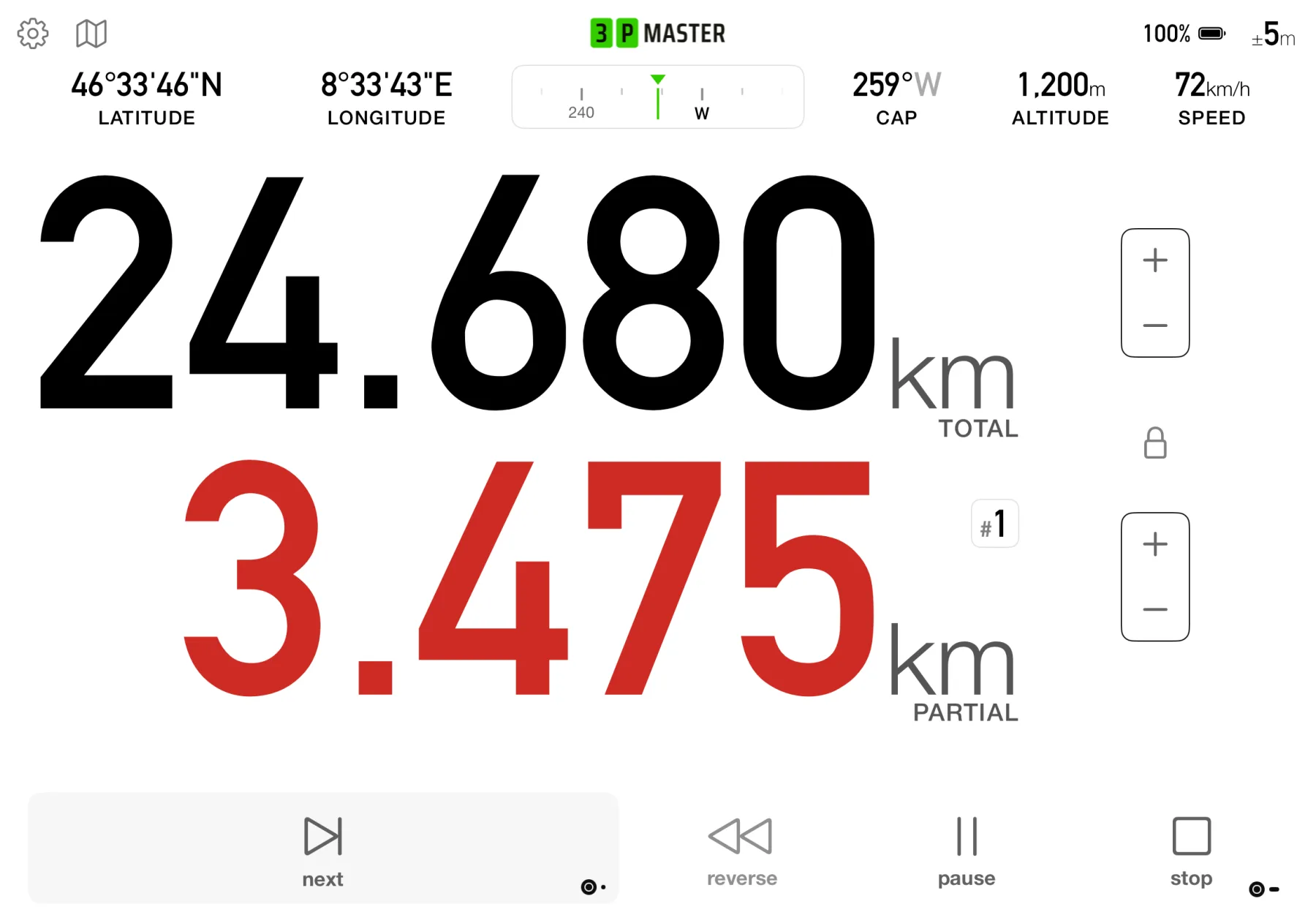
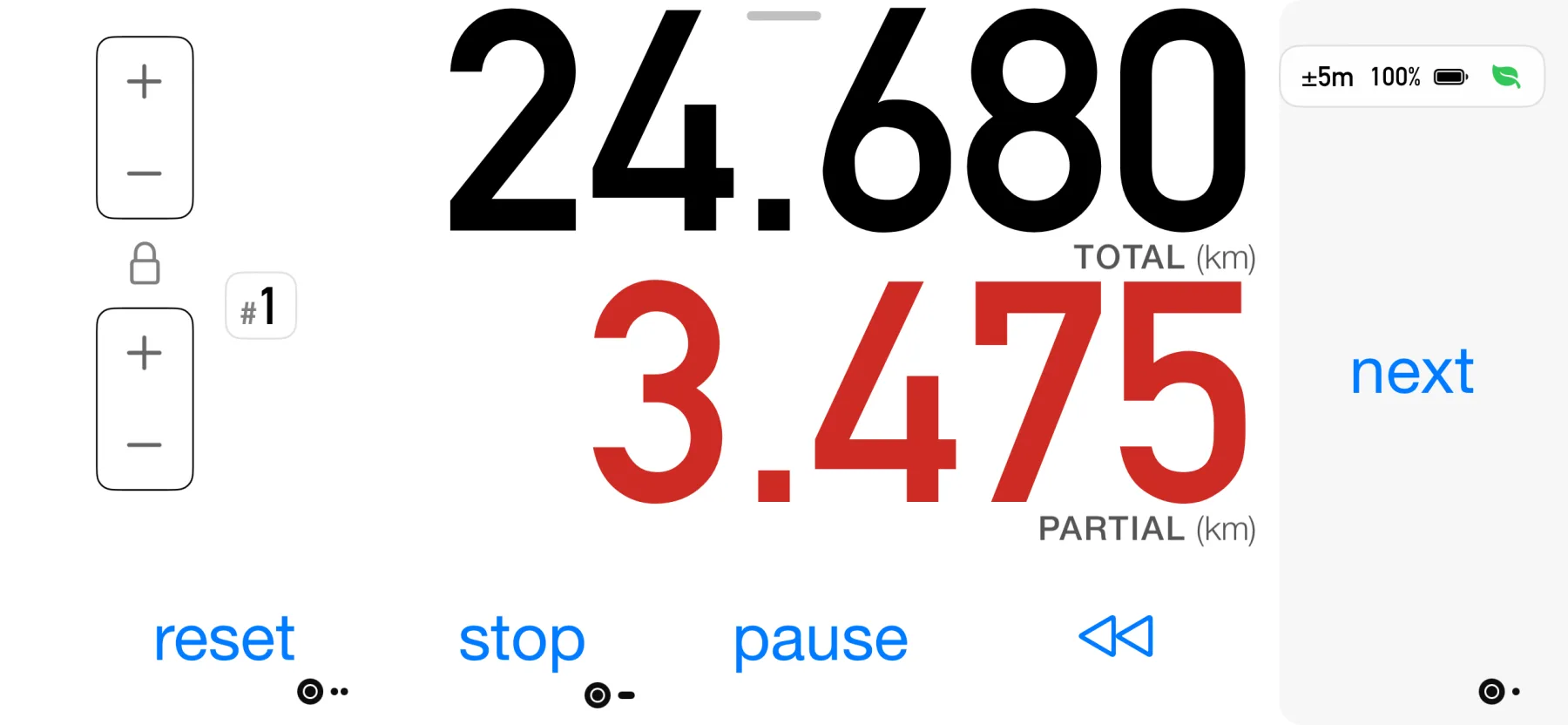
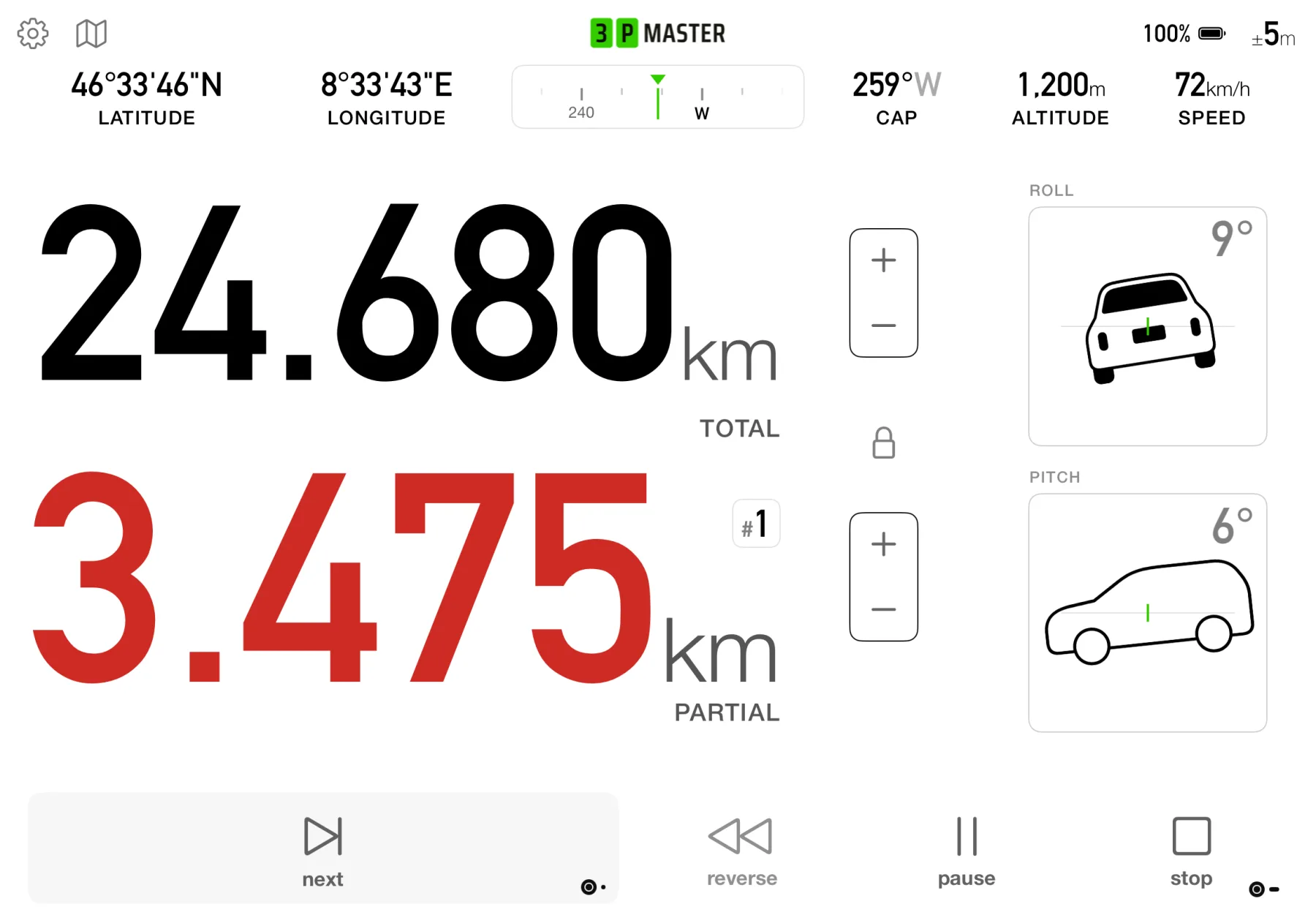
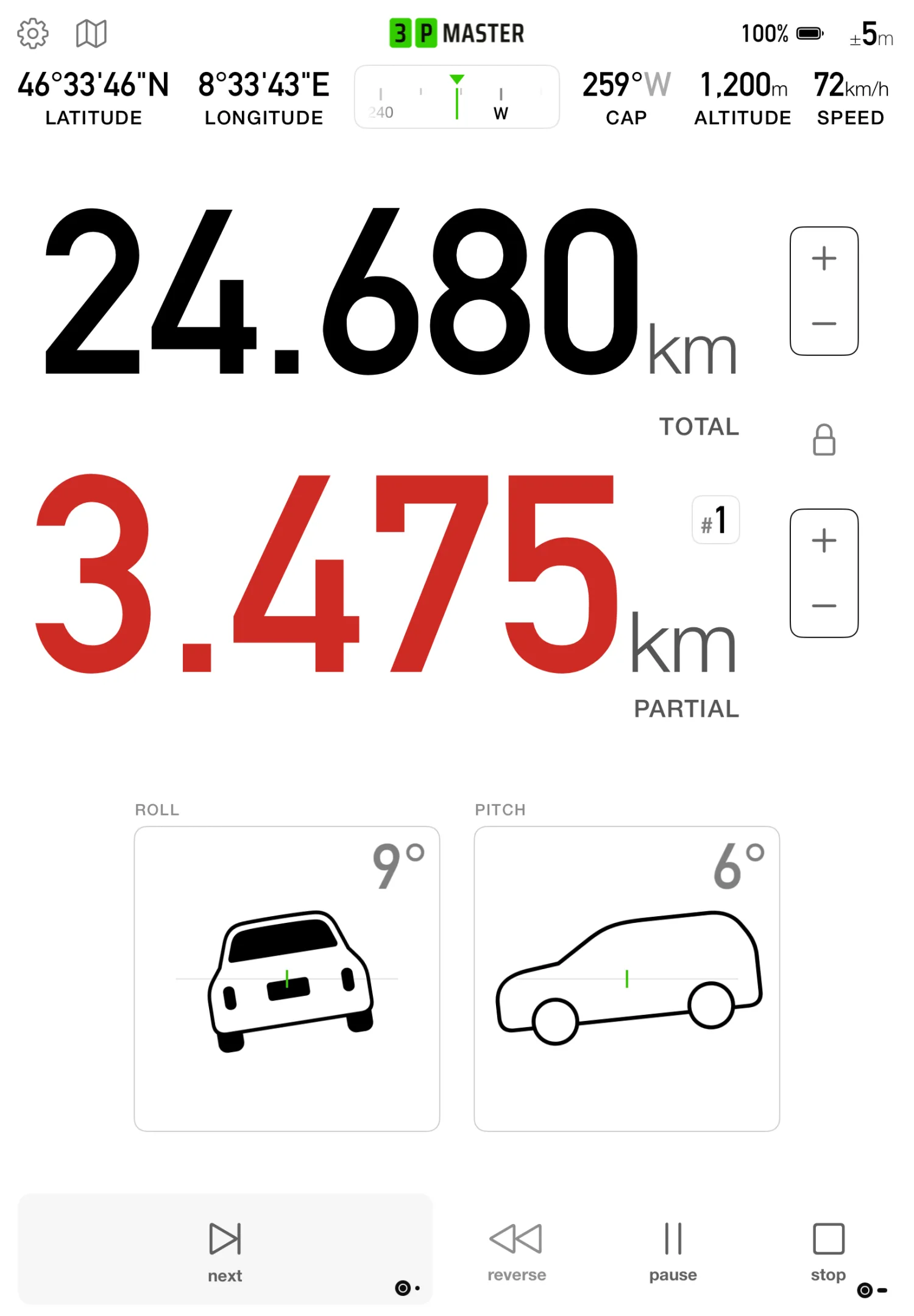
Big, legible numbers you can read at a glance, with large in-drive controls and a clear heading compass.
Distance that's crystal clear
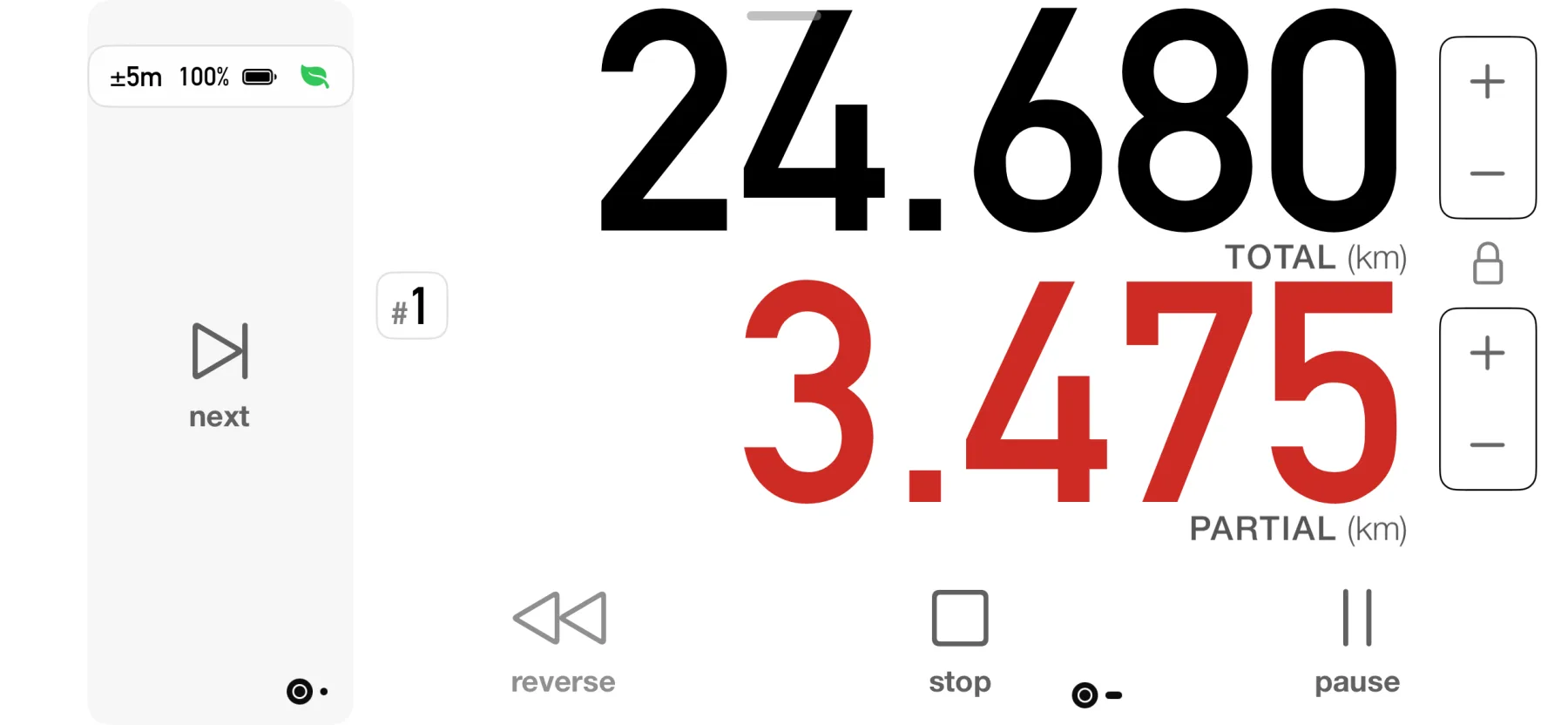
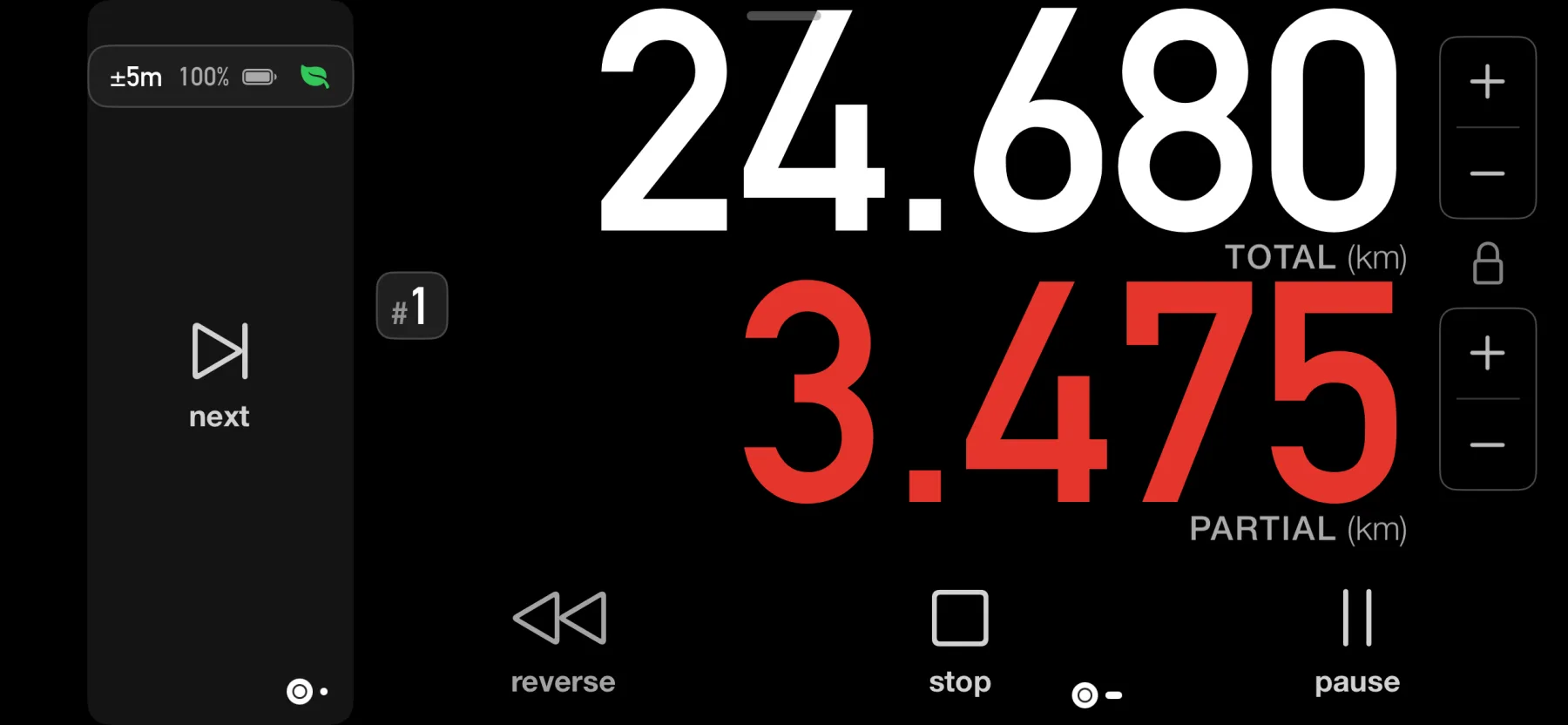
Partial and total distance in big, legible numbers you can read at speed, with large buttons that are easy to hit on the move. All the info you need, at a glance.
Kilometers or miles, your call
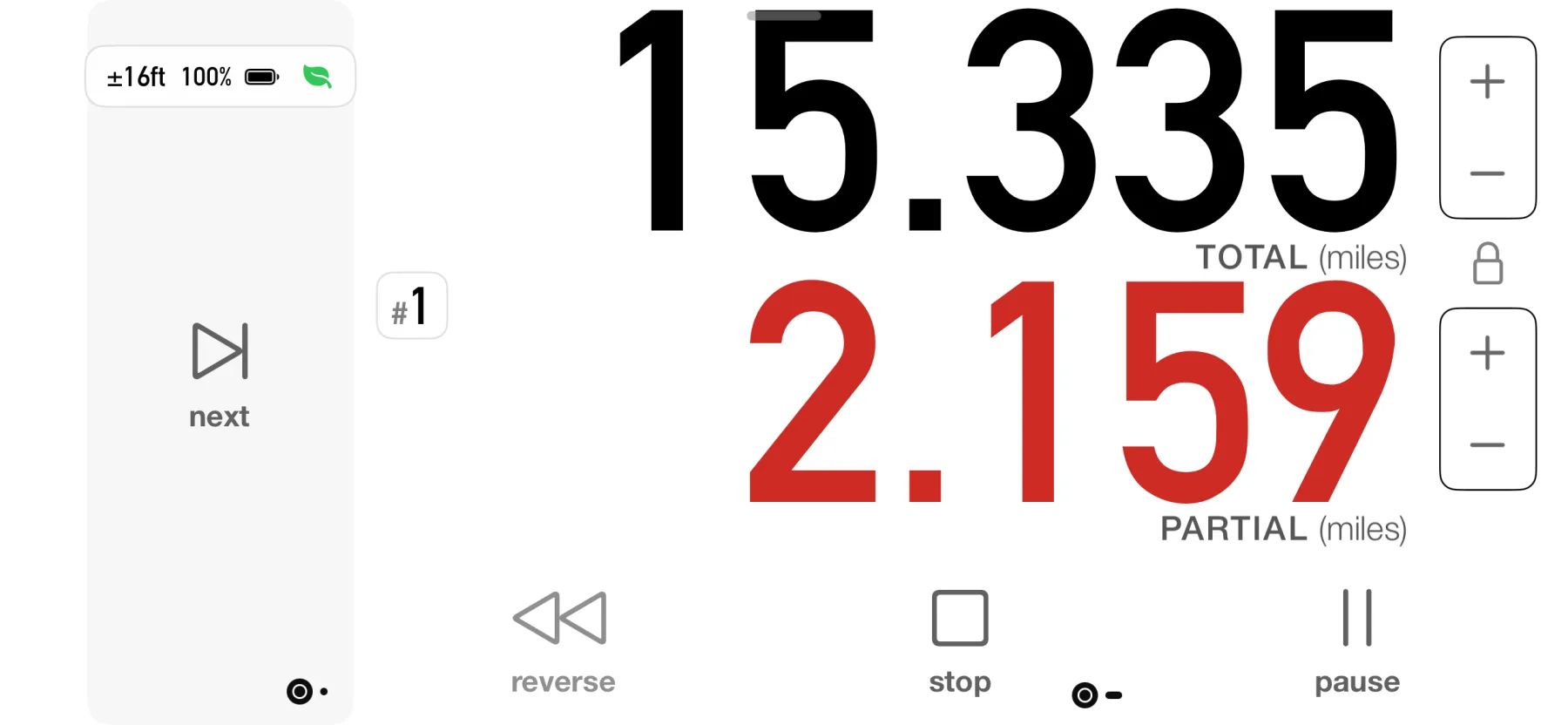
Follow your roadbook in kilometers or miles, and switch units with a tap. Whatever the roadbook uses, the numbers stay big and clear.
Keep the distance honest
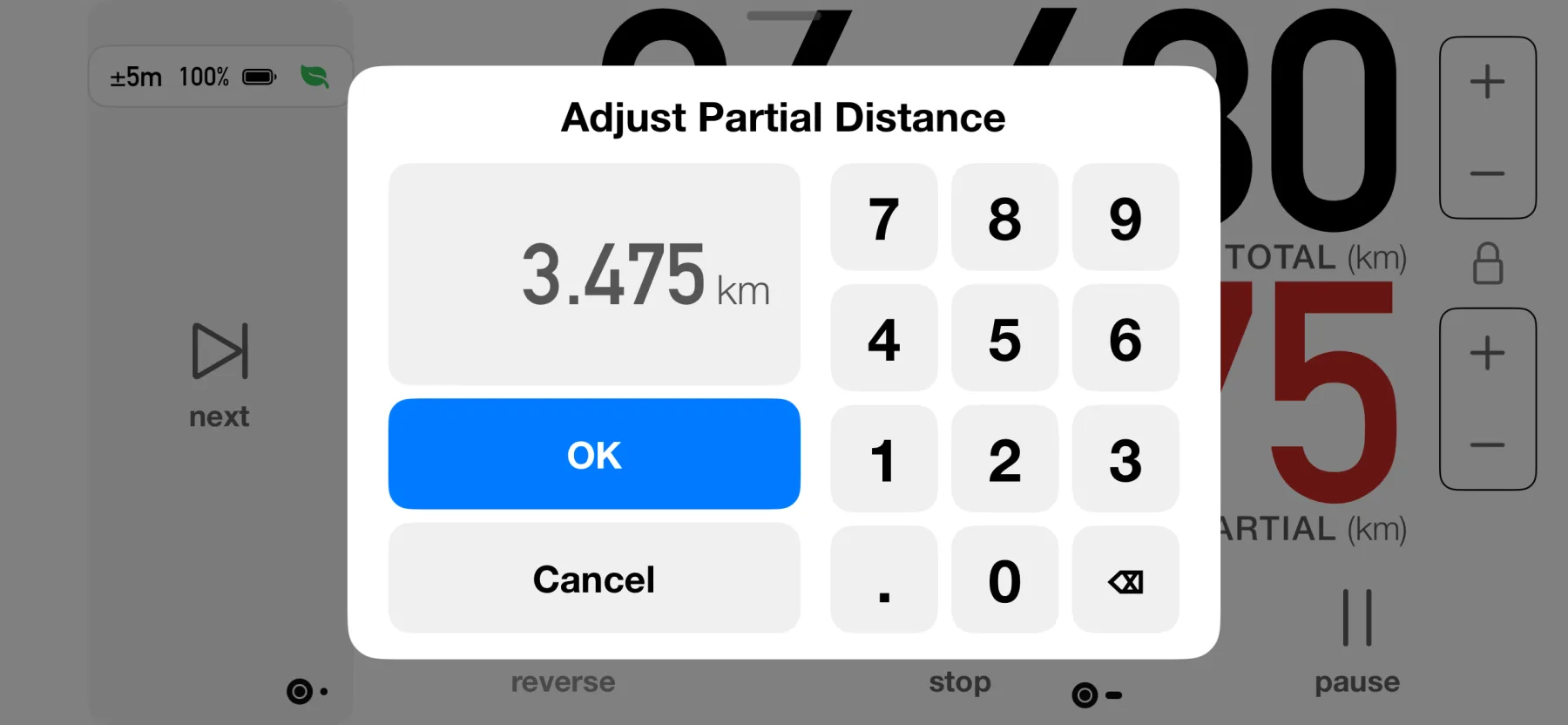
Off by a touch? Adjust the odometer any time: type an exact value, or nudge it with the +/− buttons. Calibrate it once and it stays right: drive a known stretch, enter the official figure, and 3pMaster corrects every distance from then on. Miss a turn? Tap Reverse and drive back; the distance subtracts as you go.
Always know which way you point
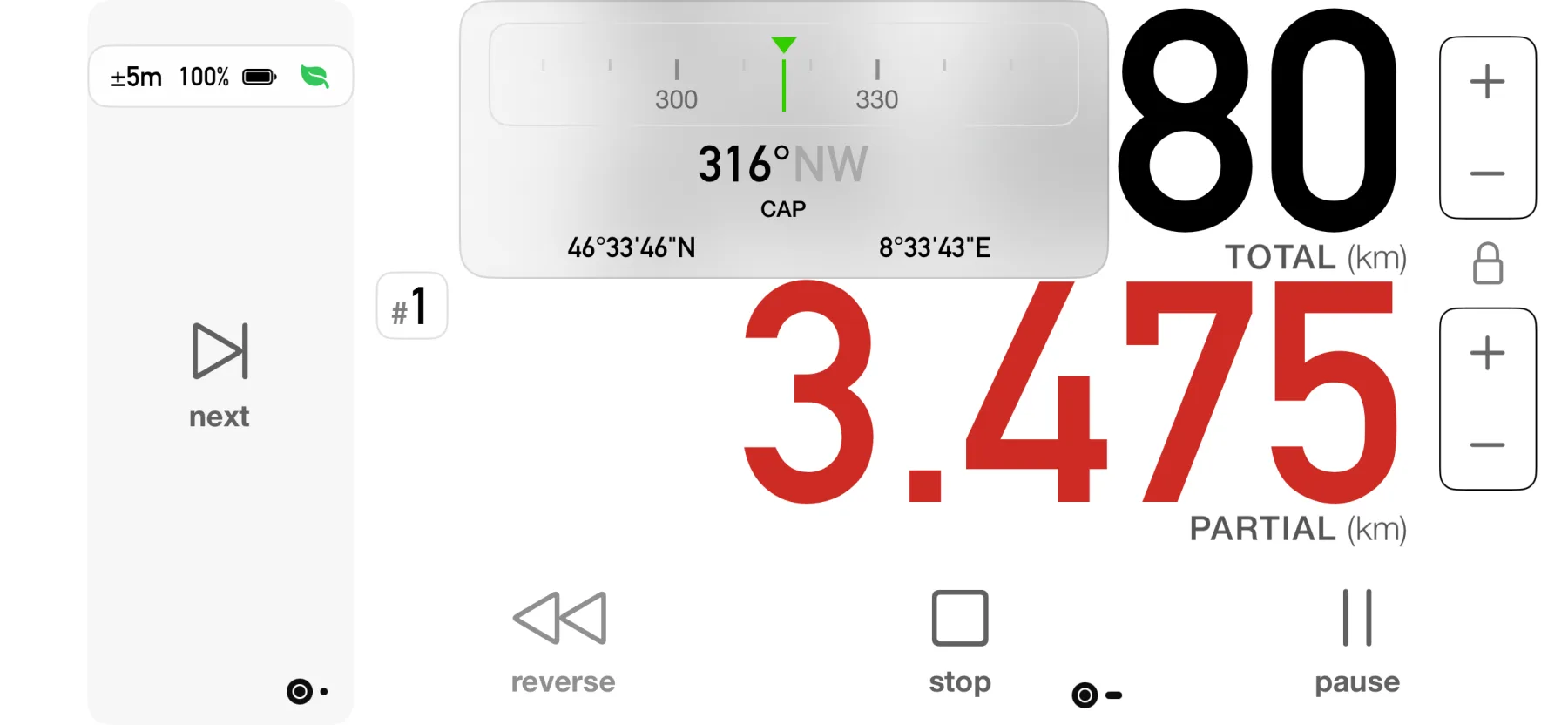
A clear compass keeps your heading in view, with your live coordinates right on the dashboard. Read them straight off for a waypoint or a radio call. Pin the compass to the dashboard and it stays in sight while you drive.
Roll & pitch at a glance
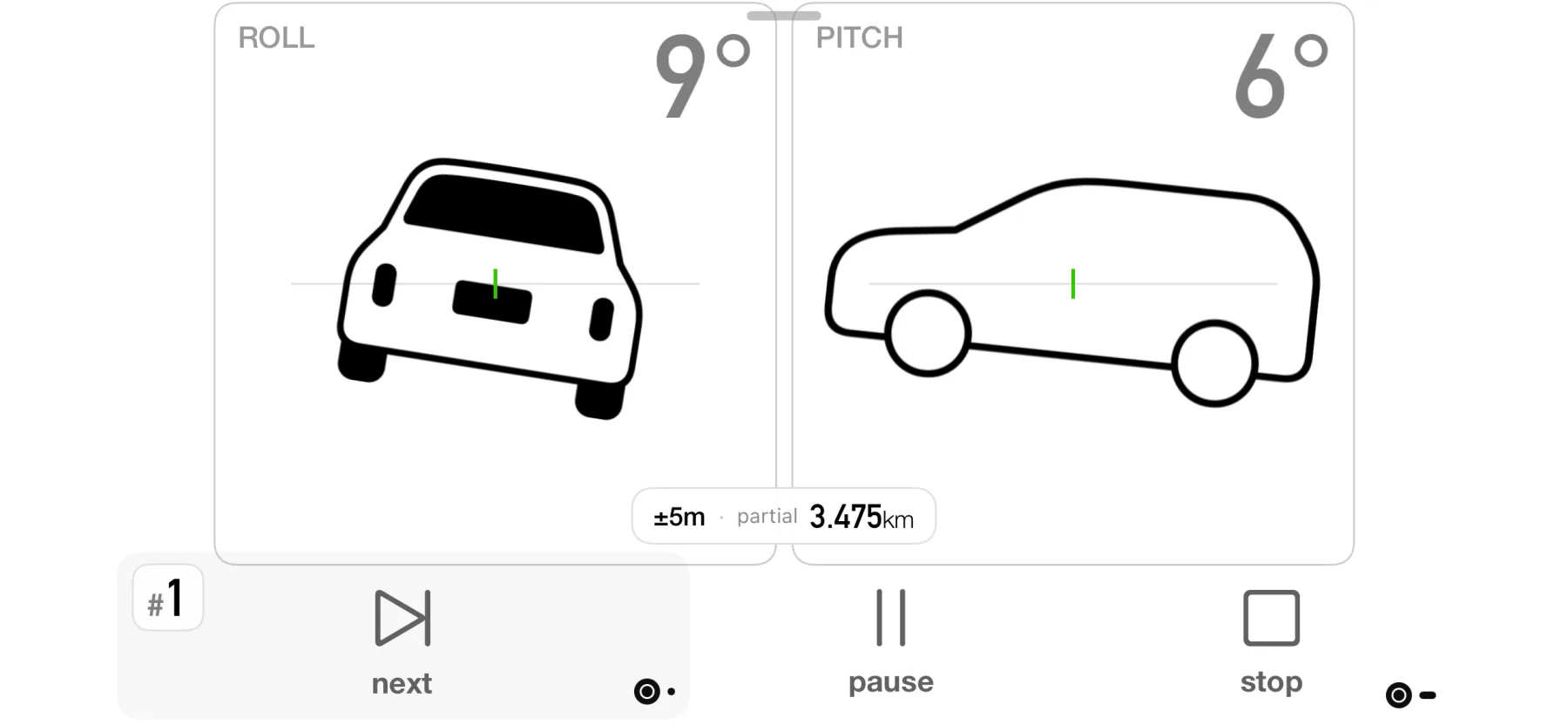
Clear roll and pitch gauges with tilt alarms when a slope passes your limit or changes too suddenly. Three styles sit behind the gauges: the built-in illustration, a plain silhouette, or a photo of your own. Keep an eye on the tilt without taking your eyes off the trail.
Record once, find it everywhere
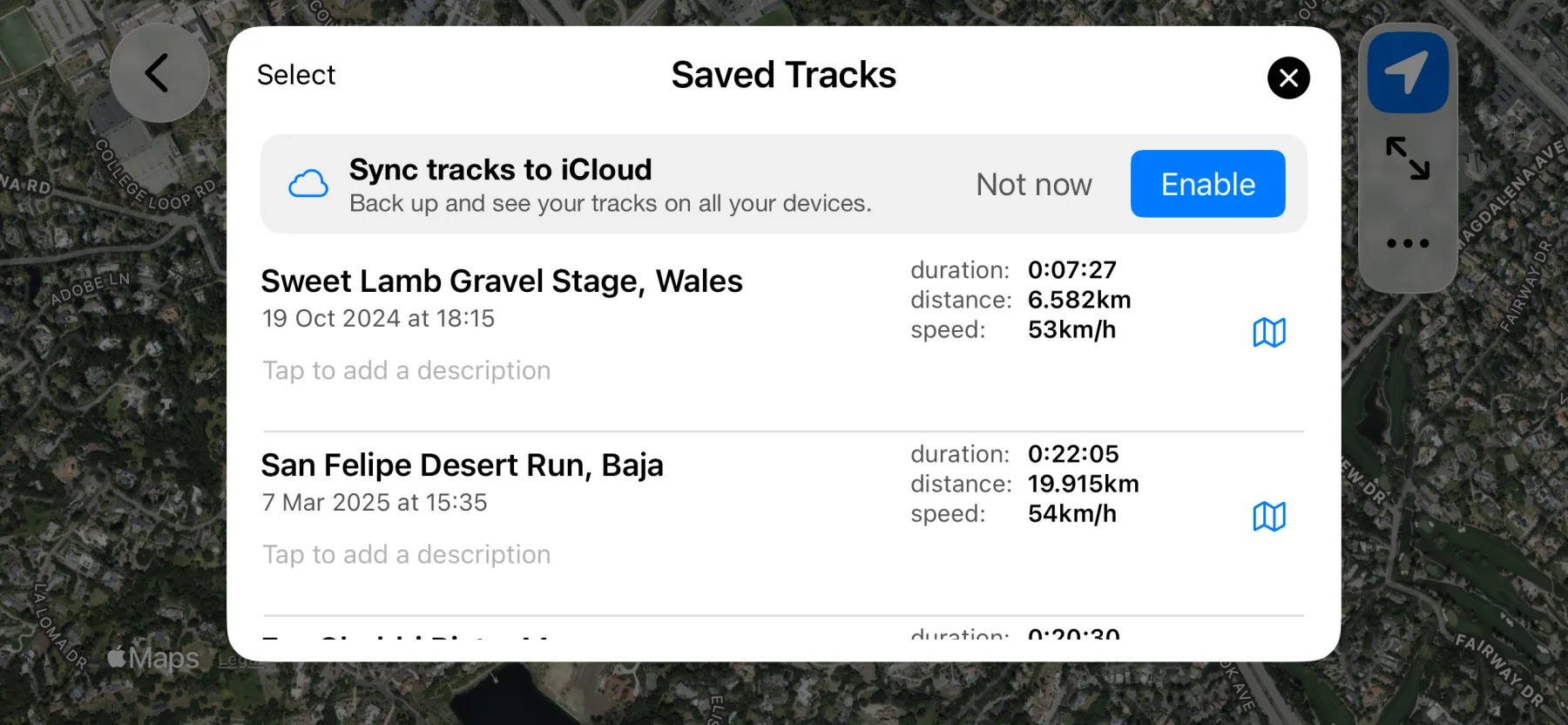
Your saved tracks sync over iCloud. Record on one device and find them on all your devices. Tracks name themselves by where you started and finished, and export as GPX or KML.
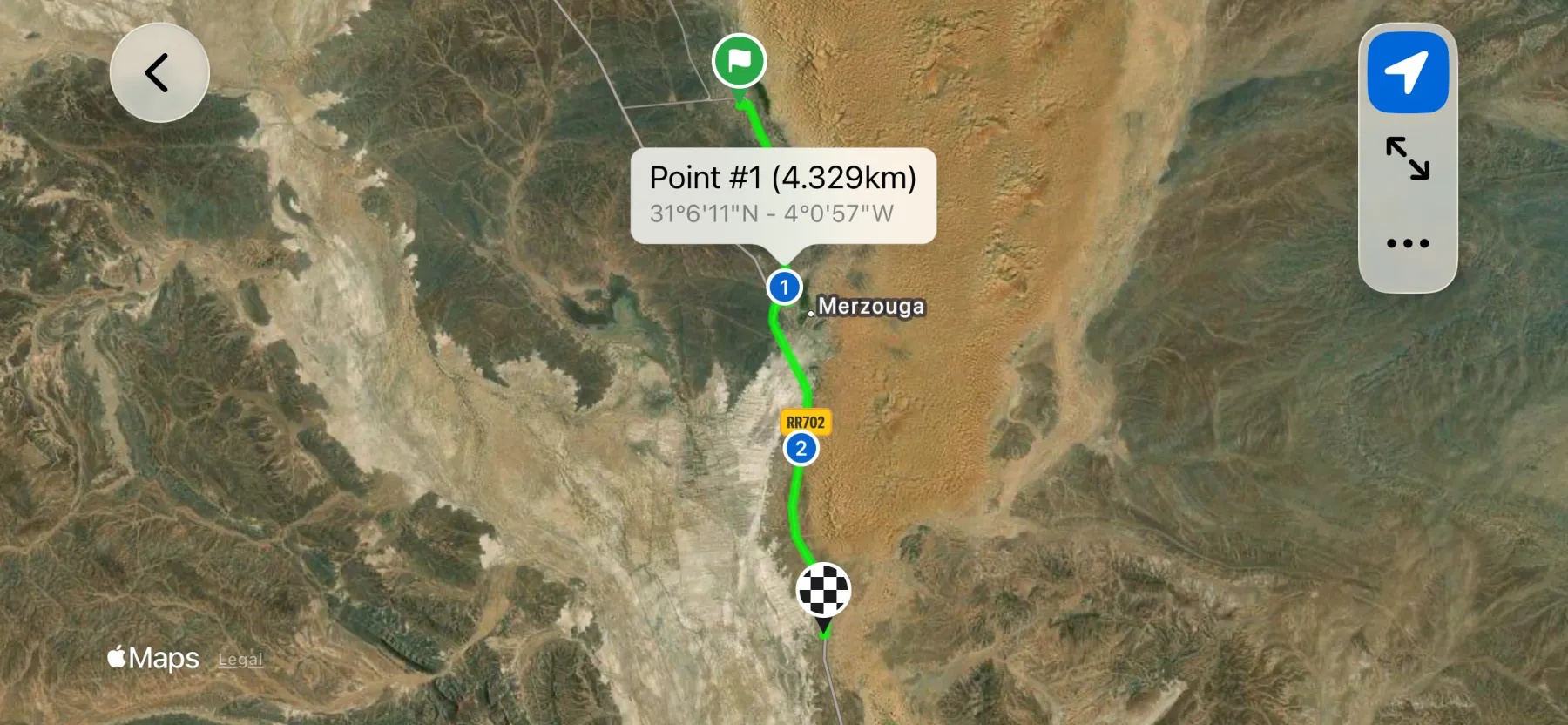
Follow your route on the map
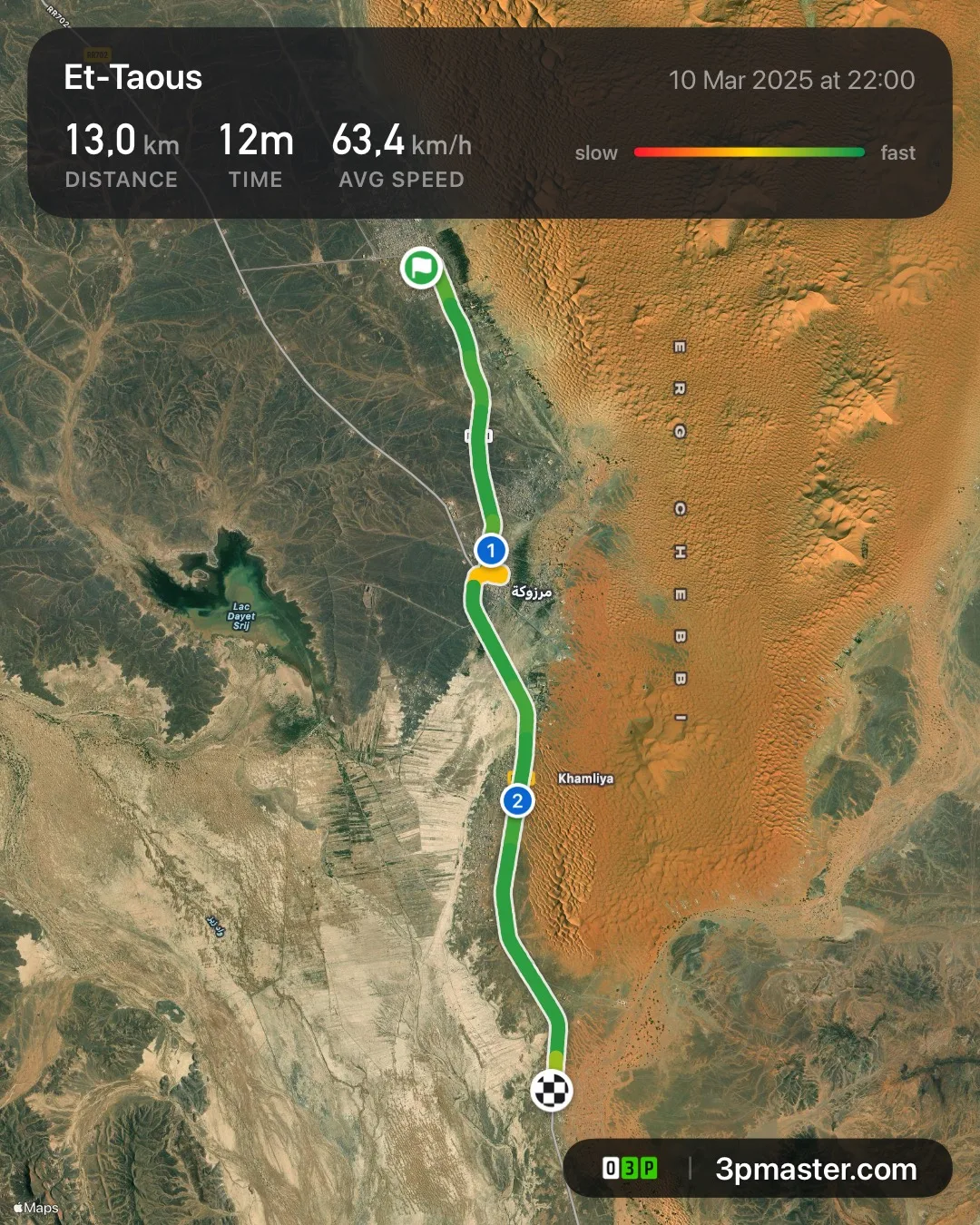
Watch your progress in real time on the map as you drive, then review and share the route afterwards.
Eyes on the trail, not the screen
Choose your announcement voice and how often it calls out your speed and distance — or let a beep mark each distance milestone. Eyes up, hands on the wheel.
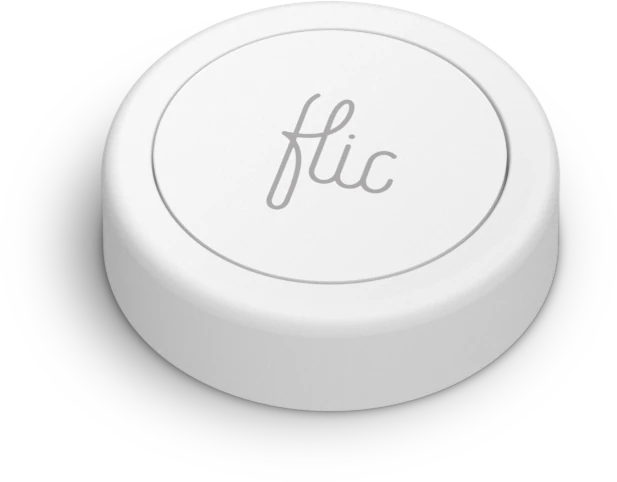
Going fully hands-free? Pair a Flic →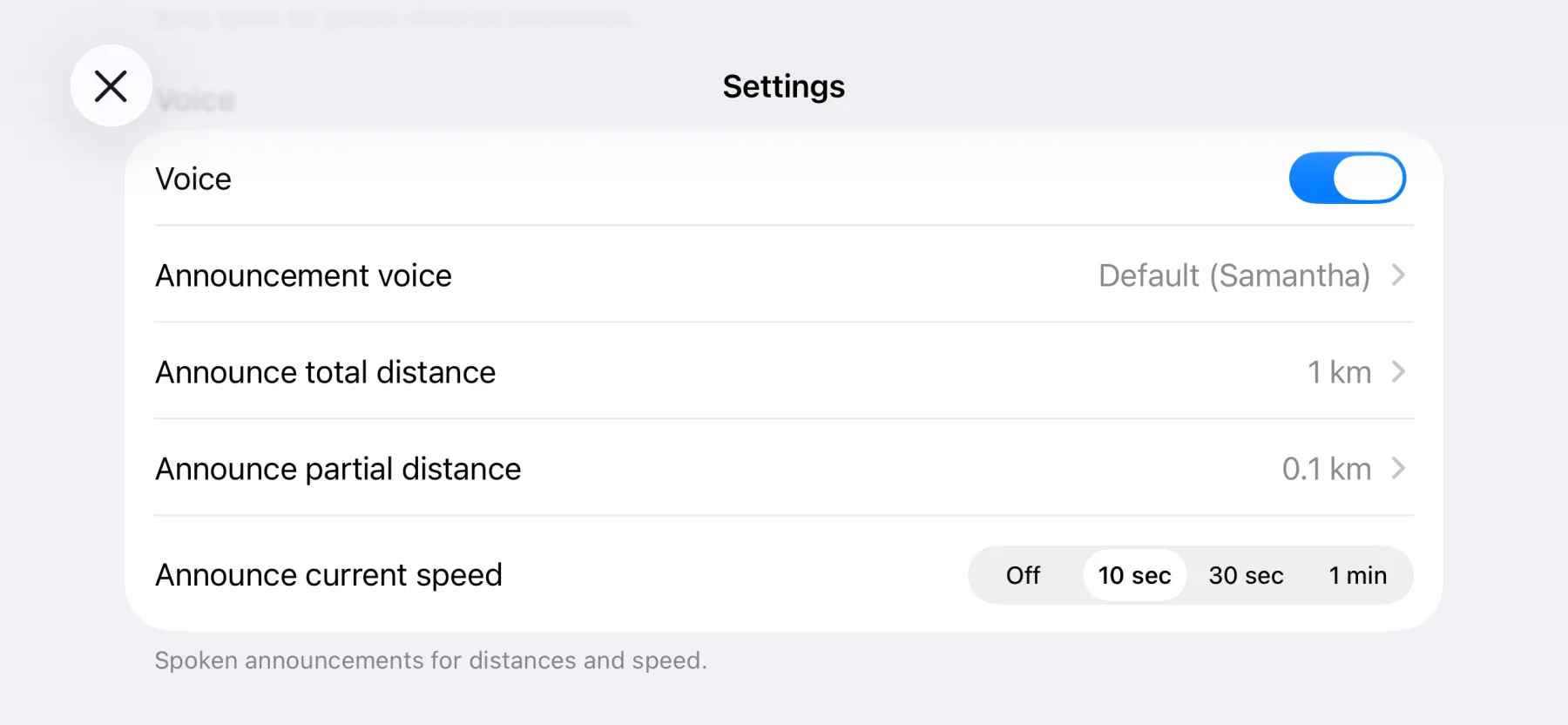
Built to last the longest stages
More than a dark screen: a power-saving engine that can black out the display when you don't need it (a tap brings it back), ease off the GPS when you're parked, and slow the motion sensor, squeezing more out of every charge on the longest days. Easy on the eyes at night, too.
Portrait or landscape, your call
Hold your iPad whichever way suits the cockpit. 3pMaster Pro gives you the full dashboard upright or wide.
Six languages
English, German, Spanish, French, Italian and Dutch, fully localized.
2 or 3 decimals
Choose the distance precision that matches your roadbook.
Follow your roadbook
Eyes on your own roadbook. 3pMaster handles the distance.
Quick reset
Start the next section with one tap. Skip the confirmation if you like.
Works with your GPS
Internal GPS or external receivers, tested with Garmin GLO 2 and Dual XGPS150A.
GPS diagnostic
Check satellite reception any time and set the accuracy threshold.
Rich & organized
Deep, well-organized settings: set your coordinate format, units, tilt alarms and more.
Built against errors
Require a two-finger swipe or a double-tap to act, so a bump on the trail never resets your distance.
Made for the trail, ready for any road
A rugged digital trip meter and navigator. Precise total and partial distance, wherever the drive takes you.
Made for the trail
A dependable digital trip meter for off-road driving, with nothing extra to wire in.
Log the whole route
Track your distances and waypoints, record the full route, then share it as a map.
Cross-country navigation
A precise odometer with a resettable partial for desert and cross-country stages.
Keep your bearings
Hold your heading and your distances on unmarked tracks and green lanes.
Replace the hardware
A phone-based stand-in for a dedicated Terratrip or ICO — no box to fit.
Any road, any distance
A precise trip meter for classic-car touring, navigation runs and any drive where distance matters.
Share your trip in a tap
Turn any trip into a clean, great-looking map image — ready to share with your crew, your fans, or the rival who still swears they were faster.
Choose the right one for you
3pMaster
The off-road tripmaster for iPhone: precise distance, inclinometer and roadbook support.
$14.99 one-time
- iPhone app
- KML & GPX export
- Total & partial distance
- Off-road & overland
3pMaster Pro
The universal app (iPhone & iPad) with on-screen speeds and precision timers.
$24.99 one-time
- Universal (iPhone & iPad)
- Show or hide readouts
- KML & GPX export
- Distance, speeds & timers
- Off-road & overland
3pRally Pro
The rally computer in your pocket: TSD/CAST regularity, roadbook navigation and open-road timing.
Try it for free then subscribe
- TSD & CAST regularity
- Roadbook following
- Open Road & special stages
- Universal (iPhone & iPad)
Good to know
What is 3pMaster?
3pMaster is a high-precision GPS tripmaster and odometer for iPhone and iPad, built for off-road driving. It measures partial and total distance, follows your roadbook, shows an inclinometer, and records and shares your tracks. Trusted by off-roaders, overlanders and ralliers since 2013.
What kinds of driving is 3pMaster for?
Off-road and 4x4, overlanding, rally-raid and desert, green-laning and trails: anywhere you need an accurate digital trip meter and a steady heading. It's a phone-based alternative to a dedicated Terratrip or ICO. It also works for classic-car touring and navigation runs. Any road where distance matters.
What's the difference between 3pMaster and 3pRally?
3pMaster measures and navigates: a precise trip meter, inclinometer, maps and track sharing. 3pRally is a Time-Speed-Distance rally computer. It holds a target average with CAST, follows a roadbook section by section, and runs open-road timed sections. In short: 3pMaster measures and navigates; 3pRally competes on time. Plenty of drivers use both.
Can I use 3pMaster for a road rally?
Yes, for navigation and distance. The trip meter works on any road. For timed Time-Speed-Distance or regularity events, 3pRally adds the average-speed and roadbook tools built for exactly that.
3pMaster vs 3pMaster Pro?
3pMaster is the iPhone app, focused on distance. 3pMaster Pro is the universal version for iPhone and iPad. It adds an iPad-optimized layout with on-screen speeds and precision timers, and works in portrait or landscape.
Does 3pMaster support roadbooks?
Yes. 3pMaster keeps the distance while you follow your own roadbook. The roadbook itself isn't built into the app; for an in-app roadbook with regularity, roadbook and open-road timing, see our separate app 3pRally.
Can I calibrate the distance?
Yes. Tap Calibrate, drive a known stretch such as between two roadbook points, and type in the official distance. 3pMaster shows it next to the distance it measured, works out the correction, and applies it to the odometer from then on. You can also fine-tune the correction as a percentage.
Does it work with an external GPS?
Yes. 3pMaster works with the internal GPS or with external receivers. It is tested with the Garmin GLO 2 and the Dual XGPS150A. You can check satellite reception at any time and set the accuracy threshold.
Does it work without internet?
Yes. The tripmaster runs fully offline on GPS, so it works deep in the backcountry with no signal. A data connection is only needed to load maps. You'll need a device with GPS: every iPhone and Wi-Fi + Cellular iPad has one built in; a Wi-Fi-only iPad can use an external GPS receiver.
Can I control it hands-free?
Yes. 3pMaster gives voice announcements for current speed and distance, and you can control it hands-free with Flic and Flic 2 wireless buttons.
Which languages and devices?
3pMaster is fully localized in English, German, Spanish, French, Italian and Dutch. It runs on iPhone, and as 3pMaster Pro on both iPhone and iPad. A device with GPS is required; a data connection is only needed for maps.